
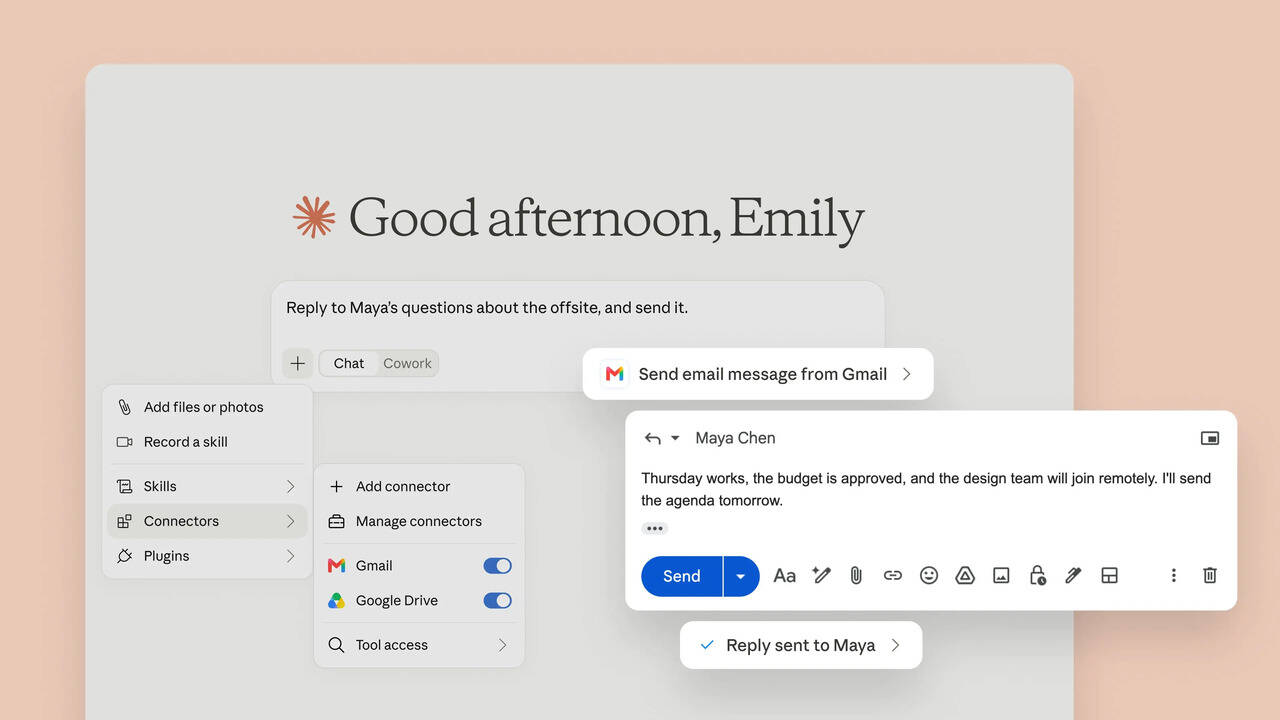
Anthropic’s Claude AI on Wednesday announced a major upgrade. The AI assistant can now do more than just read Gmail messages or search files in Google Drive. The ChatGPT rival can also reply to emails, send messages and manage files. It can send emails in Gmail on your behalf without asking you first.
The new feature is available through Claude’s Google Workspace connectors. Users can connect their Gmail, Google Calendar and Google Drive accounts to Claude and ask the AI to perform tasks by using natural language.
“Claude can now send emails in Gmail and manage files in Google Drive. Ask Claude to reply to a thread, and it drafts and sends the response. You control when it needs your approval. Connect Gmail or Google Drive from the connectors menu to try. Available on all paid plans,” Claude said on the social media platform X.
As we mentioned above, one of the biggest changes is Claude’s ability to send emails from Gmail. For example, users can ask Claude to reply to a particular email thread. Claude can understand the context, prepare a response and send it through Gmail.
By default, Claude asks for your approval before sending, replying to or forwarding an email. However, Team and Enterprise admins can allow users to do these actions without approval.
“Ask Claude to reply to a thread, and it drafts and sends the response. You control when it needs your approval,” the company said on a support page.
However, the AI startup says Claude cannot directly read the content of Gmail attachments.
The Google Drive integration also gets several useful features. The AI assistant can search and retrieve Google Docs, read files such as Sheets, Slides, PDFs, images and Microsoft Office documents, and create folders.
You can also ask Claude to move, share or delete files in Drive. Claude-generated files can also be saved directly to Google Drive when the required file creation and code execution features are enabled.
Users can add Google Drive files directly to a Claude conversation by clicking the plus button and selecting Google Drive. They can search for recently accessed documents or paste a document URL.
The AI assistant can also work with Google Calendar. You can ask it to view calendars, create or update events, find common availability, manage attendees and set up recurring meetings.
According to Dario Amodei’s Anthropic, Claude only accesses connected Google data when the user asks it to perform a task that requires that information.
For privacy, the US-based AI startup says it does not train its models on Gmail, Google Drive or Google Calendar connector data. However, the company said that information copied manually into Claude chats may be handled according to the user’s existing data and training settings.
