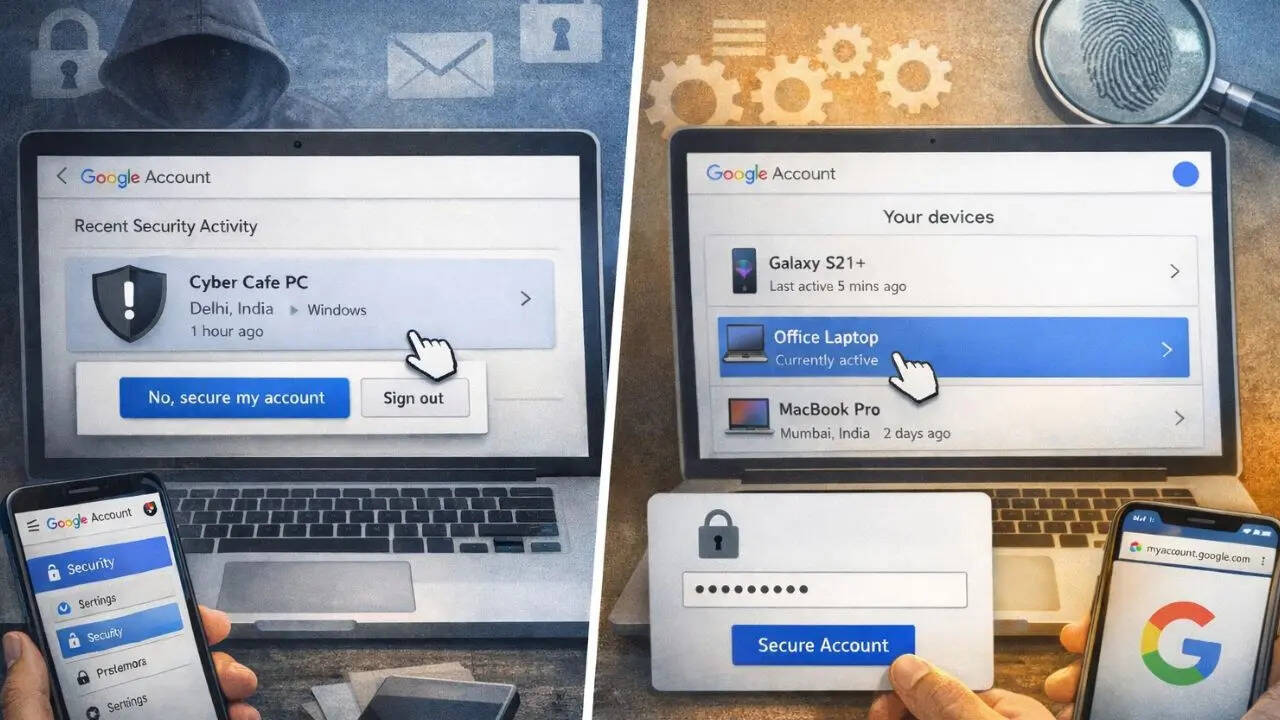
With a rapid increase of digital scams today, it has become really important for us to stay conscious and protect our privacy. Often while visiting the cyber cafes, we log in with our email ID on their device and forget to log out. This can lead to numerous scams and can turn into a nightmare for some.
In order to protect yourself from upcoming scams, you can keep track of the devices which are accessing your Google account. Here’s how you can check if your Google account is logged in on other devices.
Method 1
Step 1: In your smartphone or PC, open Google Account and sign in with your valid e-mail address.
Step 2: Click on security and sign-in among the options you’ll see on your left.
Step 3: Under Recent activity, you’ll see all the devices which are logged in with your email ID.
Step 4: If you want to remove the suspicious device, then simply just click on it and tap on “No, secure my account”.
Also Read: How To Get Extra Storage Space In Your Google Account: A Simple Guide
Method 2:
Step 1: In your Google Chrome, open myaccount.google.com.
Step 2: This will directly open your Google account settings.
Step 3: Under your profile and email address, click on ‘Devices’.
Step 4: This will open all the devices which have been linked with your email ID.
Step 5: By entering your password, you can easily secure a connection with the device.
This will also give you an idea of all the apps that have been running based on your email via the devices.
In fact, under security and sign-in, you’ll find multiple options to protect your account and its privacy. By scrolling down, you find options on how you sign in to Google. You can also change your passwords, recovery numbers, recovery email and more.